The Chrono::Sensor module provides support for simulating RGB cameras, lidar, radar, GPS, and accelerometer, gyroscope, and magnetometer within a Chrono simulation. Sensors are objects that are attached to Chrono Bodies(ChBody). Chrono::Sensor is currently compatible with the core rigid body simulation in Chrono including Chrono::Vehicle. It's also compatible with the SCMTerrain, but it's not yet compatible with FSI problems. A full list of supported capabilities are listed.
Supported Sensors
- RGB monocular camera
- Physics-based RGB monocular camera
- Depth camera
- Segmentation camera
- Normal-map camera
- Lidar
- GPS
- IMU
Current Capabilities
- Scene Rendering
- Lights
- Point light
- Spot light
- Directional light
- Rectangle area light
- Disk area light
- Environment light
- Shadows
- Materials
- Reflection based on material reflectance
- Fresnel effect
- Mesh support based on Wavefront OBJ+MTL format
- Programmatic material creation
- A shape carrying no ChVisualMaterial is rendered with ChVisualMaterial::Default(), the same material the Irrlicht and VSG visualization systems use for such a shape. The values are copied into the device-side material pool when the scene is built, on the first sensor update, so mutating the shared default after that has no effect on what a sensor renders.
- Legacy integrator supports partial transparency without refractance
- Objects
- Box primitives
- Sphere primitives
- Cylinder primitives
- Triangle Mesh
- Lights
- Camera sensor
- Ground-truth ray-traced camera rendering
- Filter-based sensor model for user defined sensor model
- Filters
- Greyscale kernel
- Visualization using GLFW
- Copy-back filter for data access from CPU
- Save images to file at a specific path
- Convert lidar measurements to point cloud
- Lidar Sensor
- Single ray and multi-ray data generation
- GPS Sensor
- IMU Sensor
- Accelerometer and Gyroscope
Detailed overview of Chrono::Sensor.
How the sensor system is setup (more examples can be found in the sensor demos)
Chrono::Sensor design considerations
Since dynamic chrono simulations typically have a higher update frequency than sensors (dynamics: order 1kHz; sensors: 10-100Hz), the sensor framework uses a separate thread to manage the data curation.

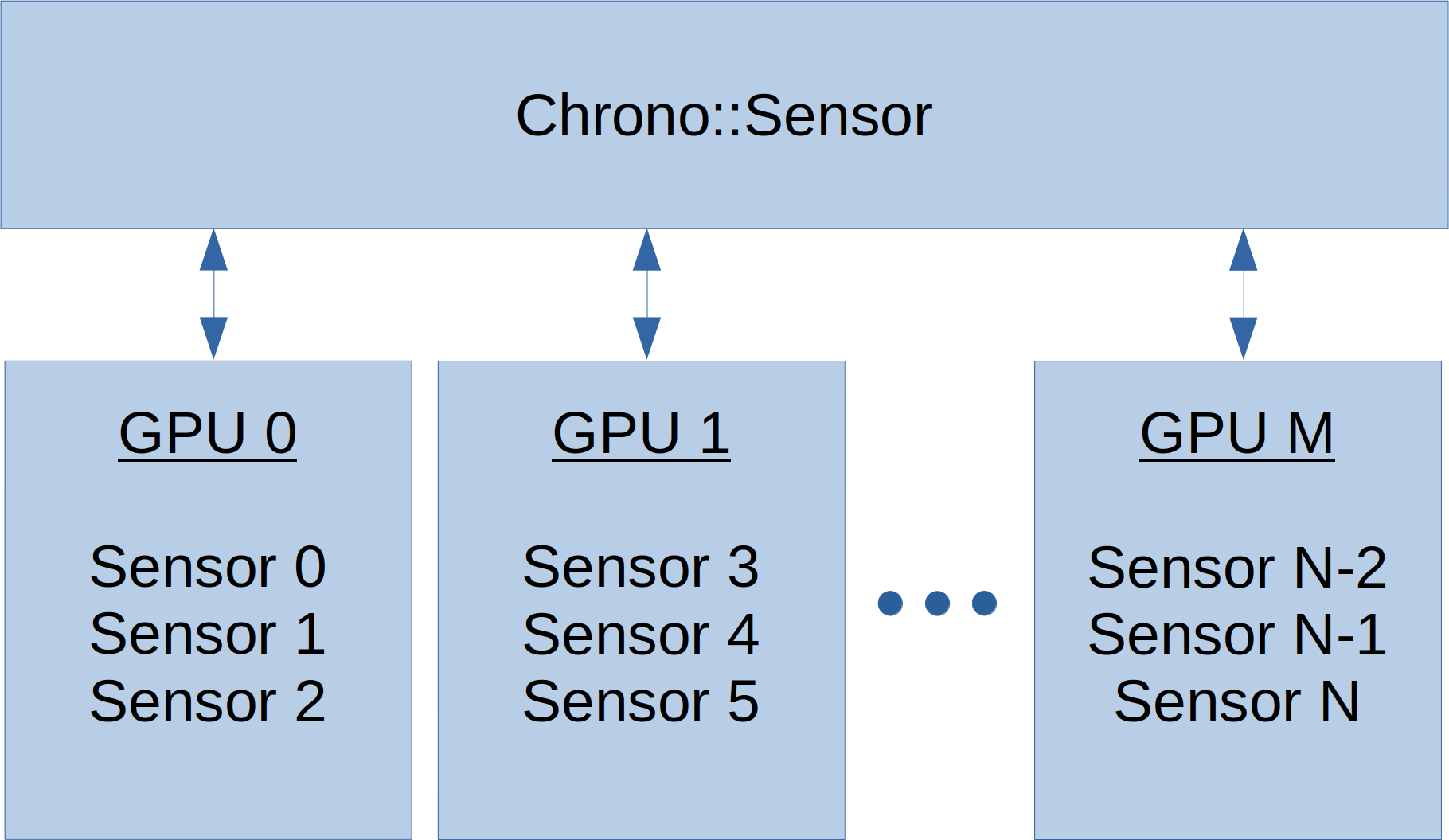
Chrono::Sensor can leverage multiple render threads each managing a separate GPU for simulating a group of sensors. This is particularly useful for scenarios with multiple agents and numerous sensors that operate at various update frequencies.
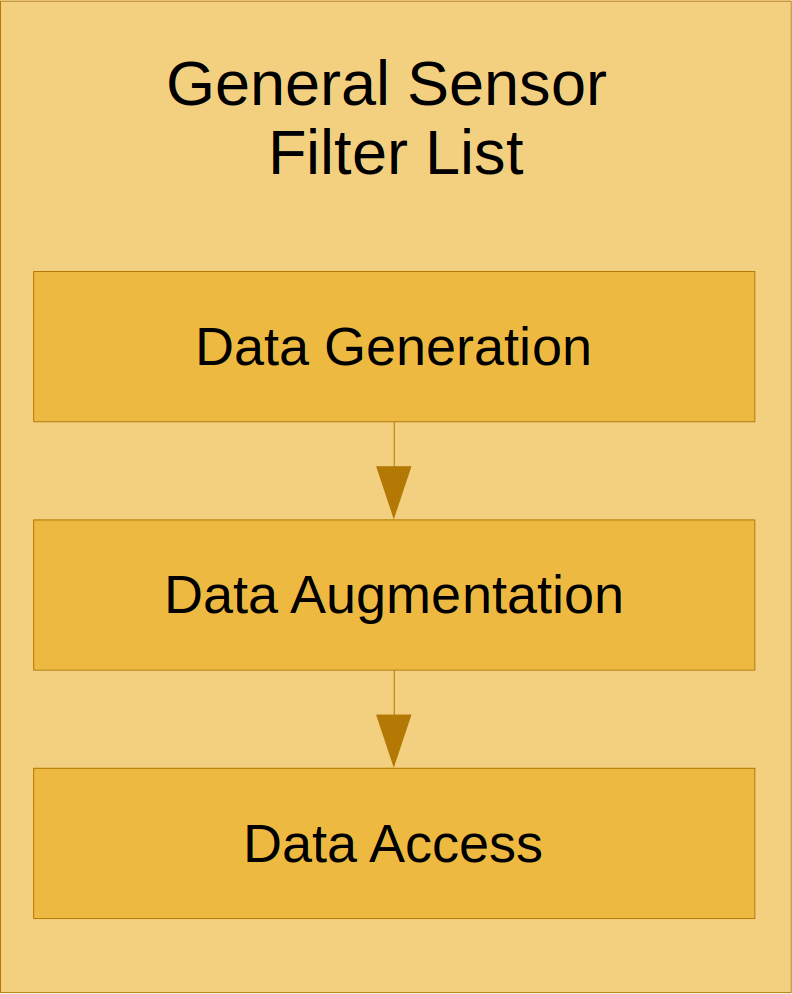
Each sensor has a filter graph which users can extend to customize the computation pipeline for modeling specific sensor attributes or configuring specific data formats.
Reproducible stochastic sensors
Sensors that add noise, and renders that sample environment lighting or global illumination, draw from per-pixel random number generators. By default each is seeded from the wall clock, so two runs of the same simulation differ. That is the right default for a simulation, but it makes byte-exact comparison impossible, so a fixed base seed can be pinned:
Two properties are worth knowing before relying on this.
Registration order is part of the contract. Each sensor's random streams are derived from the order in which it was passed to AddSensor. Adding a sensor, removing one, or reordering the AddSensor calls therefore changes which random numbers the other sensors draw, even under the same fixed seed. When comparing two runs, build the scene identically in both.
Every buffer gets its own stream. The fixed value is a base seed, not the seed handed to cuRAND. Each random-number buffer derives a distinct seed from the base seed plus the identity of the sensor, the filter, and the purpose, so two cameras, or a camera and a lidar, never draw the same sequence. This matters for sensor fusion and for any study whose conclusions depend on the sensors being independent.
Loading sensor models from JSON Files
Reference Frames and Relative Attachment Positions
Each Chrono sensor defaults to Z-up, X-forwad, and Y-left to match a vehicle ISO reference frame. For an RGB camera, this means that the z-axis points vertically in the image plane, the y-axis points left in the image plane, and the x-axis points into the image plane. For lidar, the x-axis point along rays with zero vertical angle and zero horizontal angle