Install Chrono Blender
- Install Blender. Currently, only two versions of Blender are supported: 4.4 and 5.0
- Start Blender.
Open the Edit>Preferences>Add-ons menu panel
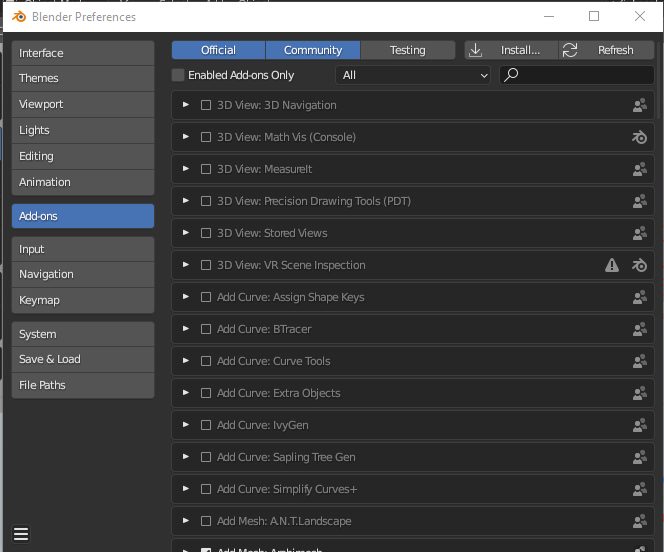
- Press the Install from Disk... button (in the drop-down menu at top-right) and select the
chrono_import.pyfrom the subdirectory in the Chrono source tree corresponding to the Blender version:chrono/src/importer_blender/for_blender_4.4/chrono_import.py, orchrono/src/importer_blender/for_blender_5.0/chrono_import.py.
- Make sure the Chrono importer add-on is enabled (set the checkmark in the list of add-ons)
- Close the Blender Preferences window.
Once the Chrono importer add-on is installed and enabled, a new option is available as File>Import>Chrono import.
For details on using the Chrono Blender add-on, see the Chrono::Blender page.